AI TOOL / #02529
Text to Google Calendar
Chrome extension: Allows users to create Google Calendar events directly from highlighted text.
Introduction
Chrome extension to create Google Calendar events from highlighted text.
What is the Text to Google Calendar AI Chrome extension/plug-in?
Text to Google Calendar is a Chrome extension designed to simplify the process of creating events on Google Calendar. It allows users to highlight text from emails or web pages and convert that text into calendar events with just one click, eliminating the need to manually copy and paste event details.
How to use the Text to Google Calendar AI Chrome extension?
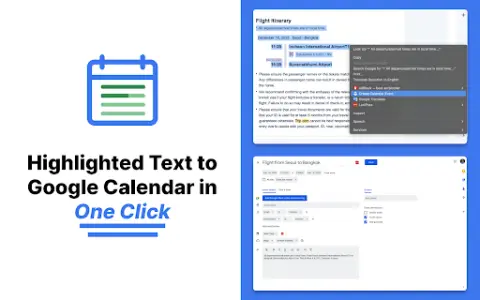
Install the Text to Calendar Chrome extension. Highlight the relevant text containing event details (date, time, description, location) on a web page or in an email. Click the extension icon, and it will automatically use the extracted information to create a Google Calendar event.
The core functionality of the Text to Google Calendar AI Chrome extension.
Click to create an event based on the highlighted text.
Automatically fill in the time zone, location, and event details.
Easily create multiple and duplicate calendar events.
Automatically fill in the time zone, location, and event details.
Easily create multiple and duplicate calendar events.
Related
AI Text Humanizer
An online tool that converts AI-generated text into human-written content, thereby preventing it from being detected by AI systems.
Rephrasy
AI-based humanized tools and detectors are designed to circumvent AI detection systems and create content that cannot be detected by such systems.
NoCaptcha Solver
Browser extensions are used to automatically resolve captchas.
Human or AI?
AI humanizer tool that makes AI text sound natural and bypass AI detectors.
Netus AI
AI-driven content creation tools used for rewriting, summarizing text, and circumventing AI detection mechanisms.
Content Credentials based on C2PA
Disclose the source and editor of the content to build trust and transparency online.