AI TOOL / #02660
Grok Button
A browser extension that provides quick access to Grok AI.
Introduction
A browser extension for quick access to Grok AI.
What is a Grok Button?
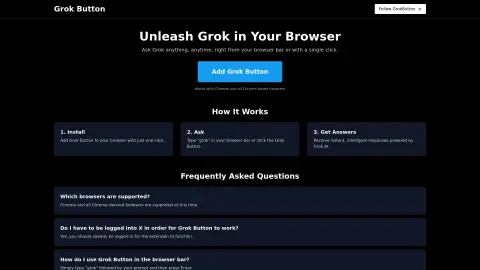
The Grok button is a browser extension that seamlessly integrates the powerful capabilities of Grok AI into your web browser. Users can submit their questions by entering “grok {your question}” in the browser address bar or by clicking the Grok button, and they will receive instant, intelligent responses.
How to use the Grok Button?
Install the Grok button extension. To use it, enter “grok” followed by your question in the browser address bar, then press Enter, or click the Grok button.
The core functionality of the Grok Button
Quickly access Grok AI from your browser.
Answer questions immediately
Integration with Chrome and Chrome-based browsers
Related
Mineflow (YC S24)
An AI platform used for predicting the shape and location of mineral deposits.
Alpha3D
AI platforms are capable of converting text and 2D images into 3D assets.
BrowserBurn – Roast Your Browsing Habits
A Chrome extension that uses AI to poke fun at your browsing habits.
ErotiX.
An AI companion that provides personalized conversations and emotional support.
Lollipop Chat
A platform that allows users to interact with real AI girls through chat, voice messages, and photos.
Kindroid
Kindroid is a personal AI assistant that offers customizable features and a wide range of applications.