AI TOOL / #05521
Expense Sorted
AI-based expense classification tool that supports Google Sheets and other platforms.
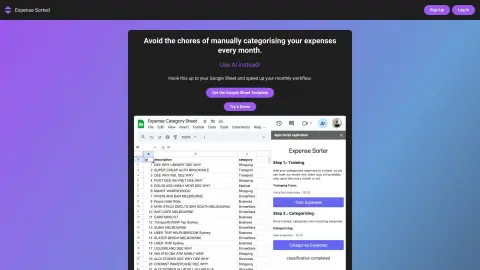
Introduction
AI-powered expense categorization tool for Google Sheets and other platforms.
What is Expense Sorted?
Expense Sorted is an AI-based tool designed to automatically categorize monthly expenses. It integrates with Google Sheets, Lunch Money, Tiller and the upcoming PocketSmith to help users simplify the budget management process. The tool eliminates the need for manual categorization by using AI to analyze transactions and assign them to appropriate categories. It also provides free Google Sheet templates to help users get started quickly.
How to use Expense Sorted?
1. Import transactions into Google Sheets. 2. Click on the Expense Sorted add-on to use AI to automatically sort transactions. 3. View and analyze the categorized data in your table.
Core features of Expense Sorted
Using AI to automatically categorize expenses
Integrates with Google Sheets, Lunch Money, Tiller and PocketSmith
Customizable categories to fit unique spending patterns
Privacy-focused design, data remains in the user’s Google Sheet
Supports API for custom integration
Related
Gift Recommender
AI-based personalized gift recommendation service.
Giftron: Personalized Gift finder
An AI-based personalized gift recommendation platform.
Pnoe
Personalized nutrition recommendations based on metabolic analysis.
Calorie Calculator
An AI-based calorie calculator that identifies food in images and estimates calorie counts.
Gyroscope
A health tracking platform offering AI and human coaching options.
Shapemate
An AI-powered WhatsApp chatbot for fitness, offering personalized exercise and nutrition plans.