AI TOOL / #05876
Do Browser
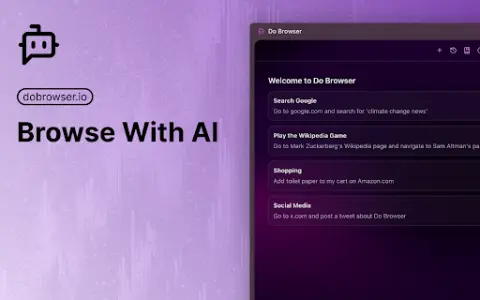
An AI-powered Chrome extension that enables control of the browser via natural language commands.
Introduction
AI-powered Chrome extension for browser control using natural language.
What is a Do Browser AI Chrome extension/plug-in?
Do Browser is an AI-powered extension for Chrome that allows users to control their browser using natural language commands. It provides quick access through the address bar or keyboard shortcuts and also supports voice commands. Its purpose is to simplify tasks such as filling out forms, shopping, and navigating complex web interfaces.
How to use the Do Browser AI Chrome extension/plug-in?
Enter “do” in the address bar or use the shortcut keys Cmd+K/Ctrl+K to activate the Do Browser. Then, use natural language commands to instruct the extension to perform tasks within the browser.
What are the core functions of browser AI Chrome extensions/plugs?
Natural Language Browser Control
Access via the address bar and keyboard shortcuts
Voice command support available
Access via the address bar and keyboard shortcuts
Voice command support available
Related
Redacta.me
An AI-driven virtual community management tool used for generating original Spanish-language content.
Asqme AI
Asqme AI: Convert text into AI chatbot for smarter knowledge acquisition and customer service.
LlamaChat
Chat locally with the LLaMA, Alpaca, and GPT4All models on your Mac.
Doko AI
Doko AI: Create and deploy AI chatbots for your business.
ChatTube AI
An AI platform that enables interactive learning through YouTube videos and PDF files.
FinanceOps
An efficient and cost-effective artificial intelligence-driven platform for digital payment collection.