AI TOOL / #06413
Audiotext AI
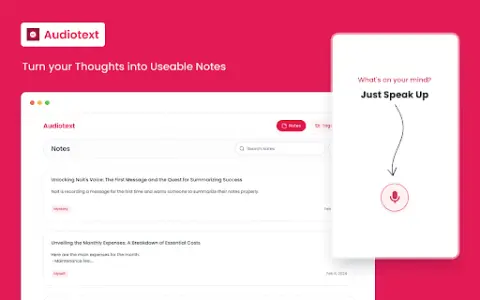
Audiotext AI converts audio to text, removes filler words, and offers multiple transcription styles.
Introduction
Audiotext AI converts audio to text, removing filler words and offering various transcription styles.
What is the Audiotext AI AI Chrome extension/plugin?
Audiotext AI can convert audio into accurate text by removing unnecessary words and generating concise summaries. It allows users to transcribe speech into text, offering multiple styles such as short summaries, bullet points, passive voice, and active voice.
How do I use the Audiotext AI Chrome extension/plugin?
1. Speak naturally, including filler words. 2. Choose a transcription style (short summary, long summary, bullet points, etc.). 3. Click "Transcribe."
Core features of the Audiotext AI Chrome extension/plugin
Audio to text
Remove unnecessary words.
Concise Summary
Rewriting with AI for style adjustment
Shareable note link
Remove unnecessary words.
Concise Summary
Rewriting with AI for style adjustment
Shareable note link
Related
iFlytek Translator
iFLYTEK's multi-scenario AI translation platform
Tiden
Verify that the programming agent does what you want
Shrine
An agent status panel that lives in the notch of your Mac
OpenCode
Open-source terminal AI programming agent
Upsolve AI
Enterprise-grade, governable data analysis agent
Codemind
A service that writes code on behalf of programming proxies and runs tests for them.