AI TOOL / #06658
Speech Translator
Speech-to-text and translation extensions suitable for a wide range of applications.
Introduction
Speech-to-text and translation extension for various applications.
What is the Speech Recognition and Translation Extension for Chrome – an AI-powered extension/plug-in for Google Chrome?
This extension utilizes Google’s speech recognition technology to transcribe audio from any source into text. It then translates this text into the desired target language. Its purpose is to transcribe live broadcasts, videos, calls, as well as your own spoken words; it also enables real-time computer-assisted translation, language learning, and the creation of translated subtitles. Additionally, it helps to improve accessibility for people with hearing impairments.
How to use the Speech Recognition and Translation Extension for Chrome?
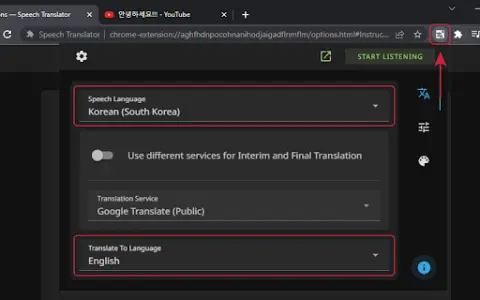
Install this extension in your browser. Select the input language and the desired output language. Once the audio source is activated, the extension will automatically transcribe and translate the spoken text.
The core functionality of the Speech Recognition and Translation extension for Chrome.
Real-time speech recognition and translation
Transcribing audio from any source
Supports multiple languages
Integrated with OBS for use in live broadcasts
Related
New Tokeny
A desktop AI assistant that delivers a finished product from a single spoken sentence.
New Axonnic
Myoelectric cuff data for training robots
The new Intrascope
Enterprise Multi-Model AI Workbench and Control Layer
New Yardlet
Mac app to manage multiple programming agents side by side
The new SimReady Central
NVIDIA’s simulation-grade 3D asset search platform
New Spacesheep
Transform AI-generated content into collaborative interactive documents.