AI TOOL / #06759
Chromesthesia
Capture audio tagged with relevant labels and use various audio recognition services to analyze them.
Introduction
Captures tab audio and identifies it using various audio recognition services.
What are Audio Recognition Services, and what are the Chrome extensions/plugs related to AI?
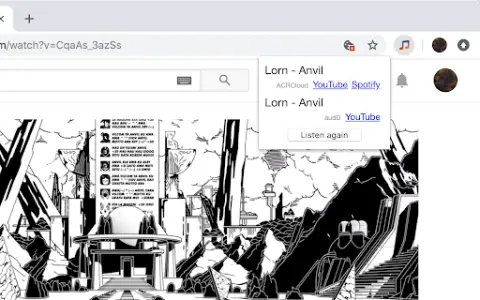
This service captures the audio being played within browser tabs and sends it to audio recognition services. Currently supported services include audD (no account required; 10 free requests per day), ACRCloud (account needed, but a free plan is available), and AudioTag (account needed, but a free plan is available).
How to use the Audio Recognition Services Chrome extension?
This service captures the audio being played within browser tabs and automatically sends it to the configured audio recognition services (such as audD, ACRCloud, or AudioTag). The identified song information is then returned.
The core functionality of the Audio Recognition Services AI Chrome extension/plug-in
Capture audio from a browser tab
Integration with various audio recognition services (audD, ACRCloud, AudioTag)
Related
Clawnify
Enterprise AI Work Delivery Platform
Amazon AI Image Compliance Labeling (PixPix)
Compliance labels for AI character images
QR code recognition (PixPix)
The screenshot will not be uploaded for code recognition.
Wallpaper size adaptation (PixPix)
Convert photo to full screen wallpaper
Converting PDF files to images (PixPix)
Export PNG/JPG files page by page.
Circular Profile Image Cropping (PixPix)
Transparent circular profile image