AI TOOL / #06945
UIsnapper
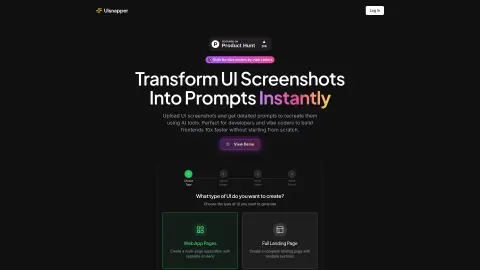
Convert UI screenshots into AI-generated prompts, enabling quick and code-free UI cloning.
Introduction
Converts UI screenshots into AI prompts for fast, no-code UI cloning.
What is UIsnapper?
UIsnapper converts any UI screenshot into detailed AI-generated prompts that can be used by tools such as Lovable or Cursor. This enables quick and easy cloning of websites and applications without the need for coding. It helps developers and “atmosphere coders” increase their efficiency by tenfold in front-end development, by transforming UI screenshots into ready-to-use prompts that can be utilized by AI-based coding tools like Cursor, v0, and Lovable.
How to use UIsnapper?
When using UIsnapper, first choose the type of UI you want to create (either a web application page or a complete landing page). Then, upload your screenshots of the UI. After uploading them, name the page and the project. UIsnapper will generate detailed guidelines based on these screenshots, which can be used by AI tools to recreate the UI.
The core functions of UIsnapper
UI Analysis: Upload any UI screenshots to obtain detailed analyses of colors, layout, spacing, and component structure.
Tip generation: Automatically generates accurate tips for your use, enabling you to reproduce the exact UI elements.
Further discussion: Communicate with an AI assistant that understands the context of your user interface design to refine your concepts and obtain answers to specific questions.
Tip generation: Automatically generates accurate tips for your use, enabling you to reproduce the exact UI elements.
Further discussion: Communicate with an AI assistant that understands the context of your user interface design to refine your concepts and obtain answers to specific questions.
Related
The Book Cover Archive
Book Cover Design Database
Expo Simulators
Cloud-based mobile phone simulator for AI agents
AcaDraw
Generate editable scientific research illustrations in just one sentence.
MelonAds
Automated setup for Meta advertising campaigns
CROSSTOWN: New York Open World (Early Access)
“Rockstar spent 8 years on developing Fable 5.2; completing it only took them 7 days.” Currently, only a portion of the cities have been made available for play. You can submit feedback by pressing the “B” key.
Misty Mountain Gate: A 3D action game
One afternoon… 4.5 billion tokens were generated. The model, the scenarios, and all the related actions were created by it; everything was contained within a single 30MB HTML file.