AI TOOL / #06950
Snapshot by AnswersAi
Chrome extension that provides immediate answers and learning assistance through screenshots.
Introduction
Chrome Extension for instant answers and learning support using screenshots.
What is the AnswersAi Chrome extension/plug-in?
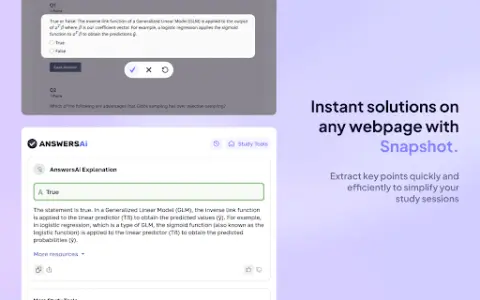
AnswersAi is a Chrome extension designed to provide students with immediate and accurate answers. All users need to do is take a screenshot of the question they want help with, and they will immediately receive detailed explanations along with step-by-step solutions. This makes it an extremely useful tool for exam preparation, homework assistance, and enhancing understanding of various subjects.
How to use the AnswersAi Chrome extension/plug-in?
Install the AnswersAi Chrome extension. When you encounter a problem, use this extension to take a screenshot. AnswersAi will then provide you with detailed explanations and solutions.
The core functions of the AnswersAi Chrome extension/plug-in
Instant answers are provided through screenshot analysis.
Provide a comprehensive explanation along with step-by-step solutions.
Supports multiple disciplines
Seamlessly integrated with the browsing experience
Provide a comprehensive explanation along with step-by-step solutions.
Supports multiple disciplines
Seamlessly integrated with the browsing experience
Related
BlueWillow
Free AI art generator – create stunning AI-generated images based on text prompts.
Midjourney Art AI Generator
AI art platforms that utilize the Midjourney API offer the capability to generate images based on textual prompts.
Dubbing AI
A real-time AI voice changer for gaming, live streaming, and meetings, featuring a soundboard.
MagicAi
A free AI image and video generator that supports the Studio Ghibli AI style.
Quick AI Avatar – Fast & Easy
An AI-powered avatar generation app that offers a variety of styles and places great emphasis on privacy.
Ghiblio Art
Ghibli-style AI image generator powered by ChatGPT 4o.