AI TOOL / #07070
TranslateAir
AI-driven translation and OCR tools suitable for macOS.
Introduction
AI-powered translation & OCR tool for macOS.
What is TranslateAir?
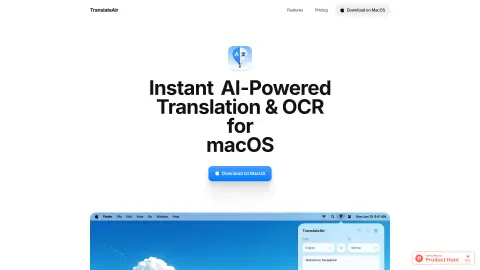
TranslateAir is an AI-powered translation and Optical Character Recognition (OCR) tool designed for macOS. It enables users to instantly translate text from any application, website, or document. Its features include a real-time floating toolbar, intelligent rewriting options, customizable shortcuts, access via the menu bar, as well as advanced OCR capabilities that allow users to capture text from anywhere.
How to use TranslateAir?
Select text from any application, website, or document. A floating toolbar will immediately appear beside it, making the translation process extremely easy. You can also use custom keyboard shortcuts to initiate translations or perform OCR operations.
The core functions of TranslateAir
AI-driven translation
Intelligent rewriting
pop-up translation
Text OCR extraction
keyboard shortcuts
Multi-language support
Related
AI Humanize AI
These AI tools are designed to make the text generated by AI indistinguishable from human-written content, ensuring that it reads smoothly and naturally. They also come equipped with other writing tools.
StealthGPT
AI tools are used to create more human-like AI content and to circumvent AI detection systems.
VIT Updated Auto-Capcha (Free)
Use image processing and machine learning to automatically fill in VTOP login verification codes, for free.
TikTok Captcha Solver API
TikTok CAPTCHA solving API for bypassing rotation, puzzle, and 3D shape challenges.
Bypass AI
Avoids AI-generated writing solutions that cannot be detected, and is equipped with technologies that enhance the human-like quality of the text.
AIMidUs Community
A community for AI enthusiasts and independent entrepreneurs, offering tools, news, and resources.