AI TOOL / #08845
Lion Accountability Browser
An artificial intelligence-powered browser equipped with parental control and accountability features offers a safe browsing experience.
Introduction
AI-powered browser with parental controls and accountability features for safe browsing.
What is Lion Accountability?
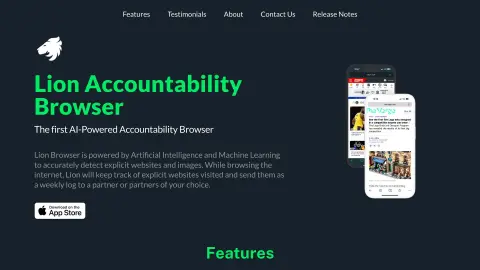
Lion Accountability offers the Lion browser, an artificial intelligence-powered web browser that comes equipped with parental control and accountability features. It is capable of filtering content in real-time to provide a safe browsing experience and also sends weekly activity reports. This browser utilizes artificial intelligence and machine learning to identify inappropriate websites and images, tracks user behavior, and sends weekly logs to its accountability partners, thereby promoting responsible browsing habits. Prioritizing speed, security, and accountability, it allows users to control their browsing experience and features customizable filters as well as PIN protection settings.
How to use Lion Accountability?
To use the Lion Browser, please download the “Lion Head” app from the app store and then proceed to download the Lion Browser itself. After installing and opening the app, follow the setup instructions to enable the necessary features. Add a responsible partner to receive browsing reports. Customize the content detection settings and filtering options as needed. In the screen time management settings, disable Safari for comprehensive protection; also, limit app downloads to maintain a controlled browsing environment.
The core functions of Lion Accountability
Artificial intelligence is used to identify content that is inappropriate.
Customizable content filtering
The weekly activity report is used to hold partners accountable.
Used for secure PIN protection settings
Local data storage ensures privacy protection.
Customizable content filtering
The weekly activity report is used to hold partners accountable.
Used for secure PIN protection settings
Local data storage ensures privacy protection.
Related
ePSXe
This established PlayStation emulator is renowned for its simplicity, ease of use, and high compatibility. It supports Windows, Android, and macOS platforms, making it an ideal choice for those who want to experience the classics of the PS1 era.
MuMu emulator
An Android emulator developed by NetEase, specifically designed for mobile gamers. It is compatible with both Windows and macOS systems and can smoothly run the vast majority of mobile games available on the market.
Omnigraph
给AI智能体用的开源图数据库
Foxpit
Combining multiple programming agents into a team
Tadu Literature
Online novel reading platform
WorldCat
World Library Federation Catalog