AI TOOL / #09926
MacGaiver
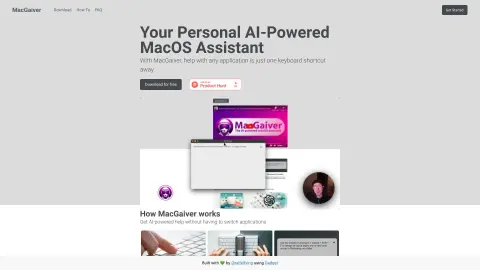
An AI-powered macOS assistant that uses computer vision to answer questions regarding any application.
Introduction
AI-powered macOS assistant that answers questions about any application using computer vision.
What is MacGaiver?
MacGaiver is an AI-powered macOS assistant that utilizes computer vision to answer questions regarding any application. By pressing a keyboard shortcut and posing your question, you can get assistance without leaving the current window. MacGaiver uses the OpenAI Vision API to provide answers in the context of your query.
How to use MacGaiver?
In any application, you can activate MacGaiver using keyboard shortcuts to submit your question—either in audio or text form. MacGaiver will then respond using answers derived from the context, relying on OpenAI GPT-V for its functionality.
The core features of MacGaiver
Provide AI-powered assistance within any macOS application.
Utilize computer vision to provide context-based answers.
Activate keyboard shortcuts
Integration with the OpenAI Vision API
Related
New Tokeny
A desktop AI assistant that delivers a finished product from a single spoken sentence.
New Axonnic
Myoelectric cuff data for training robots
The new Intrascope
Enterprise Multi-Model AI Workbench and Control Layer
New Yardlet
Mac app to manage multiple programming agents side by side
The new SimReady Central
NVIDIA’s simulation-grade 3D asset search platform
New Spacesheep
Transform AI-generated content into collaborative interactive documents.